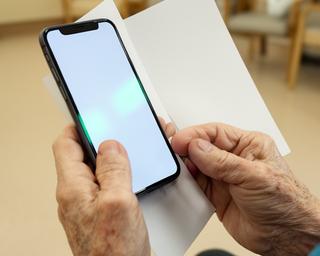
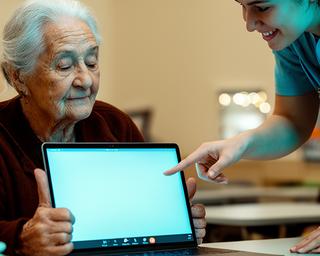
5 Tips for Your First Zoom Call
Everything you need to know before joining your first video call – from muting your mic to sharing your screen.
Free basic computer and smartphone courses in Singapore. Learn video conferencing to stay connected with family and friends.
Whether you’re new to devices or returning after a long break, Sapphire Crown Education focuses on what matters most: clear explanations, hands-on practice, and supportive volunteers who answer every question—without rushing you.
Sapphire Crown Education is a nonprofit initiative dedicated to bridging the digital divide for seniors. We provide friendly, step‑by‑step training so every older adult can use a computer, smartphone, or video call with confidence – regardless of prior experience.
We started with a simple belief: technology should feel empowering, not overwhelming. Over the years, we’ve watched learners go from hesitating at the login screen to confidently joining a video call and sending messages to loved ones. Our approach is grounded in patience, repetition, and respect for each learner’s comfort level. We teach practical skills that match everyday life in Singapore—checking appointments, communicating with family, finding community resources, and understanding online safety in plain language.
At Sapphire Crown Education, dignity comes first. Volunteers guide learners through common tasks like using a mouse, typing carefully, managing contacts, and joining meetings without stress. We also emphasise responsible habits—spotting suspicious links, protecting personal information, and recognising common scams. Our mission is not only to teach tools, but to help seniors feel connected, capable, and included. When you learn with us, you aren’t “behind”—you’re building skills at a pace that makes sense for you.
Choose a topic and start learning at your own pace. Every course includes clear explanations, hands-on practice, and learning materials designed for easy reading.
Turn on the computer, use a mouse, browse the internet, send emails, and stay safe online. Designed for absolute beginners—with step-by-step instructions that you can revisit.
You’ll learn to:
Master your Android or iPhone: make calls, use apps, take photos, and connect with loved ones. We guide you through the features you’ll use every day.
Get Started →
Learn Zoom, Skype, and WhatsApp video calls. Join family gatherings or medical appointments from home with confidence and calm.
Join a Session →
Specialised, personalised help with our patient volunteers. If a step feels confusing, we break it down—slowly, clearly, and with reassurance.
Ideal for learners who prefer extra time and repetition.
Large-print, easy-to-follow guides that you can take home. Re-read at your convenience—no need to remember everything in one sitting.
Designed for clear steps, simple language, and practical examples.
Practice sessions with fellow learners. You’ll be surprised how reassuring it feels to learn together—and share what you’ve tried at home.
A comfortable space for questions, not judgement.
Short sessions for small issues: connecting to Wi‑Fi, installing a new app, setting up camera/audio, or fixing common login problems.
Bring your device—our volunteers will guide you step-by-step.
Sessions are designed to be calm and supportive. We start with your current level, then practise common tasks slowly—so you can repeat them comfortably at home. You’ll also receive practical guidance for keeping your devices safe and secure.
You don’t need special experience. If you can hold a phone and follow simple instructions, you’re already ready to learn. We’ll help you build confidence one step at a time.
Four simple steps to gain digital confidence—so you can use devices with clarity, comfort, and pride.
Choose from computer, smartphone, or video call training. We’ll recommend a starting point based on your comfort level.
Join a small, friendly group at our Keppel area learning centre or take part in remote sessions when available.
Hands-on practice with volunteers who answer every question. We encourage you to try again until it feels natural.
Use your new skills to chat with family, attend events, and explore the web responsibly.
We teach in everyday terms and show practical examples: how to mute and unmute, how to adjust camera settings, how to save contact information, and how to take clear photos without stress. If you get stuck, it’s okay—getting “unstuck” is part of learning.
Our educational articles help you learn step‑by‑step. Read them at your own pace, then practise during a session.
Everything you need to know before joining your first video call – from muting your mic to sharing your screen.
Real stories from seniors who learned at their own pace—and now feel more connected to family, friends, and community.
“I never thought I could video call my grandchildren. Sapphire Crown Education made it so easy. The volunteers are so patient!”
“The smartphone class helped me use WhatsApp and Facebook. Now I feel connected and less lonely.”
“I was afraid of computers. After the basic course, I can email and even do online banking safely.”
Many learners tell us that the biggest difference is not just learning buttons—it’s learning the confidence to ask questions. When you know what to do next, even common problems feel manageable.
We’d love to hear from you. Call, email, or send a message—our team will respond with course options and session details.